




Go to Windows platform Display platforms icon
Go to Windows platform Go to Mac platform Go to Android platform Go to iOS platform
Windows Media Player icon

Windows Media Player

11.2609.11.0
3.8 17 reviews
252.6 k downloads
security security

Play all your music on Windows

Advertisement
Remove ads and more with Turbo
Advertisement
Remove ads and more with Turbo
Andrés López icon
Reviewed by
Andrés López
Content Editor
Andrés López is part of Uptodown's in-house Editorial Team. Translated by Uptodown Localization Team

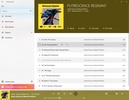
Windows Media Player offers one of the most comfortable ways to listen to music on your computer. The app lets you play any locally-stored audio file, and you can easily import all the albums you have purchased to instantly get the metadata. Doing this will give you the data, album cover or lyrics for each song. As if all this weren't enough, the app is also 100% compatible with Spotify.

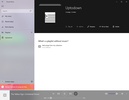
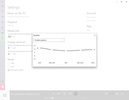
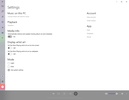
Windows Media Player users can use the app as their music hub. The first thing you will have to do is open the settings and choose the folders you want the program to search for music. As soon as you add a few folders, you will be able to see how the app starts importing and organizing songs according to artist and album. This step is not only important, but it is the most convenient way to organize your music gallery.

Advertisement
Remove ads and more with Turbo

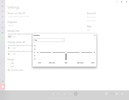
Once your music is all ready in Windows Media Player, you can start enjoying it. In the settings, you can choose between several preset options to improve the audio quality depending on which genre you listen to most. You can also choose between several visual styles for the music: a blurred album cover, minimized in a corner of the screen, full screen, and so on.

Windows Media Player is an excellent way of listening to music on your computer since you can enjoy all your locally-stored albums and also connect to Spotify to listen to music.

Windows Media Player is for you if

✓ You desire a unified music hub that seamlessly combines local albums with full Spotify compatibility
✓ You prioritize automatic library organization, letting folders import songs with artist, album, and lyric metadata
✓ You enjoy tailoring audio presets and on-screen visuals to match your favorite genres and mood

Information about Windows Media Player 11.2609.11.0

Basic information

Developer Microsoft Corporation
Category Music Players
Rating All ages
Languages English

Distribution model

Pricing Free
License Proprietary
Copyright © 2026 Microsoft Corporation
Why is this app published on Uptodown? (More information)

Security and privacy

Required permissions Not applicable
See security and antivirus report

Download info

Downloads 252,564
Date Oct 24, 2026
File type MSIXBUNDLE
Size 38.38 MB
SHA256 6db096d21df87378a7422d452f9cece04a7f3cee99e2e0ab4692c12071e65219
Advertisement
Remove ads and more with Turbo

Older versions

See more
msixb 11.2607.16.0 Sep 1, 2026
msixb 11.2606.19.0 Aug 5, 2026
msixb 11.2605.14.0 Jun 25, 2026
msixb 11.2604.10.0 Jun 9, 2026
msixb 11.2604.9.0 May 20, 2026
msixb 11.2603.12.0 Apr 28, 2026

Rate this App

Review the app
Windows Media Player icon

Rating

3.8
5
4
3
2
1
17 reviews

Comments

See more
dennynaomikaze icon
dennynaomikaze
3 months ago

Because of the update, the Movies & TV library doesn’t work anymore.. why did it have to be merged with Groove? You just do whatever you want, even changed the name again.. I don’t like playing videos...See more

Like
Reply
glamorousgreenacacia55456 icon
glamorousgreenacacia55456
in 2024

great app with good looking UI and has great updates

3
Reply
youngblacktiger97875 icon
youngblacktiger97875
in 2023

I love it I can play the blues when my music teacher wants us to listen

Like
Reply
handsomewhitehawk89344 icon
handsomewhitehawk89344
in 2023

All good

1
Reply
lazypurplemouse98634 icon
lazypurplemouse98634
in 2023

Interesting, a facade to makeover.

Like
Reply
See more
Advertisement
Remove ads and more with Turbo
iTunes icon
Apple's comprehensive multimedia player and online marketplace
QQPlayer icon
Play and capture songs and videos
AIMP icon
Excellent choice for audio playback
WinAMP Standard icon
Much more than a music player
MXPLAY icon
Excellent audio player with a built-in browser
Dopamine icon
Listen to music with this minimalist player
JetAudio icon
Player and converter, both two together!
Boom 3D icon
Improve your Windows audio experience

More apps from this author

HEVC Video Extensions from Device Manufacturer icon
Play HEVC (H.265) encoded videos on Windows
Microsoft Excel icon
The most complete spreadsheet tool on the market
Microsoft Word icon
The leading word processor for working with documents
Phone Link icon
Easily synchronize your Android with Windows
Microsoft Photos icon
View your photos on Windows
Microsoft PowerPoint icon
The best tool for creating slideshow presentations
Microsoft Access icon
Create and manage databases in Windows
Microsoft Word 2016 icon
One of the most complete and easy-to-use text editors
Spotify icon
Stream your favorite artists for free
VirtualDJ icon
Create great DJ sets and stream them online
iTunes icon
Apple's comprehensive multimedia player and online marketplace
QQPlayer icon
Play and capture songs and videos
Apple Devices icon
Manage and update your Apple devices
Cubase icon
Create your own music pieces in a comfortable way
Serato DJ icon
Professional software for DJs looking for the highest quality
WO Mic icon
Use your smartphone as a microphone